
Ghost Mannequin Effect App: Tools for Invisible Mannequin Product Photos
Ghost mannequin effect apps and tools compared: how to create the invisible mannequin look for clothing photography without Photoshop expertise.
The ghost mannequin effect — sometimes called the invisible mannequin or hollow man effect — is one of the most widely used product photography techniques for clothing and fashion items sold online. The technique makes a garment appear to be worn by an invisible person, showing its three-dimensional shape, fit, and construction without a visible mannequin or model. It's the standard presentation for Amazon apparel, used extensively on Shopify fashion stores, and common across Etsy, eBay, and wholesale catalogs. This guide covers the apps and tools that produce the ghost mannequin effect, from full Photoshop workflows to AI-assisted approaches that simplify the process.
What the Ghost Mannequin Effect Is and Why It Works
The ghost mannequin effect shows clothing in its natural worn shape — with volume, drape, and dimensional form — while removing the mannequin from the image entirely. The result is a garment that appears to float in the shape of a human body, with the inner neckline, interior label, and inside construction visible.
Why sellers use it: Dimensional representation. Flat lay photography shows a garment in two dimensions. On-body photography shows the garment on a specific person. The ghost mannequin effect shows the garment's own three-dimensional shape without the distraction of a model's body, proportions, or styling choices. Buyers can evaluate the garment's cut, proportions, and construction directly. Professional appearance. The ghost mannequin look is associated with professional apparel retail. Fashion brands from fast fashion to luxury use this technique in their online catalogs. Adopting it signals catalog-level professionalism to buyers. Consistency across a catalog. Every garment photographed on a ghost mannequin looks consistent — same angle, same lighting, same presentation. This produces a clean, uniform catalog page or storefront that builds brand credibility. Amazon compliance. For Amazon's Clothing & Accessories category, Amazon recommends (and in some sub-categories requires) that the main product image show the garment without a visible mannequin. Ghost mannequin photography meets this requirement while showing the garment's shape.How the Traditional Ghost Mannequin Process Works
The traditional method involves photographing the garment twice and compositing the two shots in Photoshop:
Shot 1 — Garment on mannequin (front view). The garment is placed on a mannequin and photographed from the front. The mannequin provides the garment's natural three-dimensional form. Shot 2 — Interior/neckline shot. The garment is turned partially inside-out or folded to reveal the inner neckline, collar, or back panel. This shot is photographed separately. For some garments, the garment is pinned to a foam board to show the interior construction. Compositing in Photoshop:This produces the final ghost mannequin image: a garment with its full front visible, and the inner neckline/label visible through the neck opening, with no mannequin visible anywhere.
The challenge: The traditional process requires Photoshop skill, particularly for the selection/masking step and the alignment of the two shots. Sellers without Photoshop experience find this process difficult and time-consuming, which is where app-based solutions become relevant.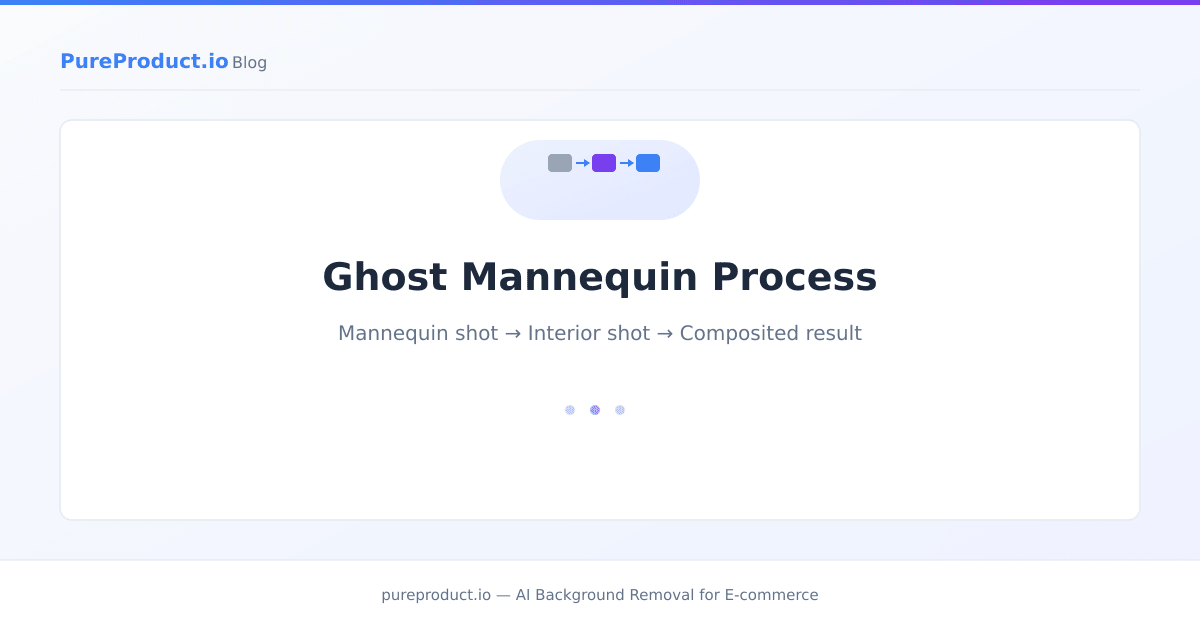
Photoshop — The Professional Standard
What it does: Full manual control over the ghost mannequin compositing process. Photoshop's Pen Tool, Quick Selection, and layer masking provide the precision needed for clean garment edges and accurate interior alignment. Best for: Professional product photographers, clothing brands with dedicated editing staff, and sellers who need the highest-quality output for premium fashion items. Workflow: Two-shot capture → Photoshop compositing → background removal → white fill → export at marketplace dimensions. Time per image: 15–45 minutes per garment for a skilled editor, depending on garment complexity (simple t-shirt vs. complex jacket with collar and lapels). Cost: Adobe Creative Cloud Photography plan (~$10/month). Limitation: Steep learning curve. The Pen Tool masking required for clean garment edges takes significant practice. Not practical for sellers without Photoshop experience unless they invest in learning.AI Background Removal for Simplified Ghost Mannequin
For sellers who photograph garments on a mannequin but don't need the full interior-neckline composite, AI background removal can produce a simplified version of the ghost mannequin effect.
How it works: Photograph the garment on a mannequin, then run the image through an AI background removal tool. The AI isolates the garment and removes both the background and the visible parts of the mannequin, outputting the garment on a clean background. What this produces: A garment silhouette on a white or transparent background. This isn't a true ghost mannequin effect (the interior neckline isn't visible), but it achieves the primary goal: showing the garment's three-dimensional shape without a visible mannequin. For many product categories and marketplace contexts, this simplified version is sufficient. PureProduct handles this workflow: photograph the garment on a mannequin against any background, upload to PureProduct, and the AI removes both the background and mannequin body, outputting the garment on clean white. The free plan covers 50 images per month — enough to test the approach on a product batch. See the pricing page for volume options. Limitation: AI tools handle mannequin removal with varying success depending on the garment. Tight-fitting garments where the mannequin is largely covered work well. Garments with open necklines, loose fits, or areas where the mannequin is prominently visible may require manual cleanup. The interior neckline composite isn't handled — you get mannequin removal, not the full ghost mannequin composite.Pixelz — Dedicated Apparel Photo Service
What it does: Professional photo editing service with specialized ghost mannequin processing. Submit photos, specify the desired treatment, and receive edited images back. Best for: Clothing brands and retailers processing catalog-volume garment photos (hundreds or thousands of SKUs) who want professional-quality ghost mannequin output without an in-house editing team. Workflow: Upload mannequin shots (front + interior) → specify ghost mannequin treatment → receive composited images with clean white backgrounds. Cost: Per-image pricing, typically $2–5 per image depending on complexity and volume. Limitation: Cost adds up at volume. Turnaround time (hours to days) adds latency to the listing process. You're dependent on an external service's schedule and quality consistency.Clipping Path Services
What they do: Freelance and agency clipping path services on platforms like Fiverr, Upwork, and specialized providers (Clipping Path India, Clipping Path Studio) offer ghost mannequin compositing at per-image rates. Best for: Sellers with moderate volumes (50–200 images) who want human editing quality without doing the editing themselves. Workflow: Upload two-shot sets (front + interior), specify ghost mannequin treatment, receive composited images. Cost: Typically $1–5 per image depending on complexity, turnaround time, and provider. Quality variation: Significant quality variation between providers. Test with a small batch before committing to a large order. Specify exact requirements (white background RGB value, output dimensions, file format) in writing.Photo Room — Mobile Ghost Mannequin Approximation
What it does: AI-powered product photography app with background removal and mannequin removal capabilities. Best for: Casual sellers or small-scale clothing resellers who want to remove a mannequin from a product photo quickly on mobile. Workflow: Photograph garment on mannequin → open in Photo Room → apply background/mannequin removal → export. Limitation: Mobile AI tools produce less precise results than desktop tools or professional services. Complex garment edges (collars, buttons, zippers) may need manual cleanup. Interior neckline compositing is not supported — this produces mannequin removal, not the full ghost mannequin effect.Shooting Tips for Better Ghost Mannequin Results
Regardless of which tool or service you use for the editing stage, the quality of the ghost mannequin effect depends heavily on how the shots are captured:
Use a mannequin with removable parts. Mannequins with detachable arms, shoulders, and neck pieces make it easier to photograph the interior of the garment (the neckline shot) without removing the garment from the mannequin entirely. Pin and style carefully. The garment should look natural on the mannequin — no visible bunching, pulling, or unnatural stretching. Use clips or pins on the back (hidden from camera) to create a fitted look. Consistent lighting across both shots. The front shot and the interior shot must have identical lighting direction and quality. If the lighting changes between shots, the composite will look unnatural because the shadow and highlight patterns won't match. Shoot straight-on. The camera should be level with the garment's center and perpendicular to the mannequin. Angled shots make compositing much harder because the perspective of the front and interior shots won't align. Use a tripod. Camera position needs to be identical between the front and interior shots for easy alignment. A tripod ensures this. Hand-held shots introduce alignment differences that add editing time.For more on product photography setup and lighting, the product photography on a budget guide covers affordable equipment and technique for sellers building a home photography setup.
Frequently Asked Questions
What is the ghost mannequin effect?
The ghost mannequin effect (also called invisible mannequin or hollow man) is a product photography technique where a garment is photographed on a mannequin, and the mannequin is then removed in editing. The result is a garment that appears to be worn by an invisible person — showing its three-dimensional shape with the interior neckline visible, but no mannequin or model in the image.
Do I need Photoshop for ghost mannequin photos?
Not necessarily. AI background removal tools can remove a mannequin from a garment photo without Photoshop, producing a simplified version of the effect (garment on clean background, no visible mannequin). For the full ghost mannequin effect with a visible interior neckline composite, Photoshop or a professional editing service is typically needed. The background removal methods comparison covers the available tools.
Does Amazon require ghost mannequin photos for clothing?
Amazon recommends (and in some sub-categories requires) that main images for clothing show the garment without a visible mannequin. Ghost mannequin photography meets this requirement. Amazon's alternative accepted formats include flat lay photography and on-model photography (which has its own requirements around model presentation).
How much does ghost mannequin editing cost?
Costs range widely. DIY with Photoshop costs your time plus the Photoshop subscription ($10/month). AI tools like PureProduct (simplified mannequin removal) start with a free tier of 50 images/month. Professional services typically charge $1–5 per image for ghost mannequin compositing. Volume, turnaround time, and complexity all affect pricing.
Can I do ghost mannequin photos with a phone?
You can photograph garments on a mannequin with a phone (use the back camera, good lighting, and a tripod or stable surface). The editing stage is harder on mobile — AI apps can remove the mannequin for a simplified effect, but the full two-shot composite with interior neckline typically requires desktop tools or a professional service.
The ghost mannequin effect is the standard for professional clothing photography online, and the path to achieving it has gotten more accessible with AI tools. For a simplified version (mannequin removed, garment on white), AI background removal handles the task in a batch workflow. For the full interior-neckline composite, Photoshop or a professional service remains the standard approach. Start with the simplified AI approach — if the results meet your quality bar for your marketplace and product line, you've found the fastest and most scalable path. PureProduct's free plan is a practical way to test AI mannequin removal on your specific garment types before deciding whether to invest in more complex compositing.
PureProduct Team
PureProduct.io
Ready to save hours on product photo editing?
PureProduct handles background removal, marketplace resizing, and shadow generation in one upload. Try it free with 50 images per month — no credit card required.